
There’s a specific kind of chaos that happens when someone is actually using your web app. They’ve got six tabs open. One has your dashboard. Two are comparison pages. Another is a Reddit thread questioning your pricing. This is real usage — messy, nonlinear, deeply human — and it’s exactly what most product presentations fail to capture.
Enter the laptop mockup: a design tool that, when used thoughtfully, does far more than make screenshots look pretty.
Why Multi-Tab Behavior Matters for Web App Presentations
When you’re pitching a SaaS product or presenting a UX audit, you’re often showing a single screen in isolation. Clean. Polished. Unrealistic.
Real users don’t behave that way. They bounce between your app and competitors. They open three pricing tabs side-by-side. They leave your onboarding halfway through to check their email and return twenty minutes later. Showing this behavior is where product storytelling gets genuinely interesting.
Simulating multi-tab behavior means staging the full browser environment: multiple open tabs, realistic URLs, browser chrome that tells a story. A well-composed laptop mockup makes this visual language possible.
Real Examples of Using Laptop Mockups in Practice
Designers and product marketers are finding smart ways to stage multi-tab scenarios across different use cases:
- Competitor comparison pages: A browser with your analytics dashboard in focus and two competitor tabs visible in the background. The message is immediate — yours is the one they actually want open.
- Onboarding flow walkthroughs: A sequence of frames showing the tab progression from sign-up → welcome email → app dashboard, giving stakeholders a feel for the full first-session experience.
- Landing page hero images: Instead of a sterile single screenshot, a hero section with multiple tabs open communicates depth and feature richness before the user reads a single word.
These aren’t decorations. They’re arguments. Each tab in a staged mockup is a design decision that guides how the viewer perceives your product.
The Art of Staging: What to Think About
Simulating multi-tab behavior isn’t just about adding tabs — it’s about composition. What story does the tab order tell? Tabs are read left to right. The first implies the session’s starting point, so think about what the viewer’s eye does as it scans across the browser bar.
How realistic is your URL? A blurry or fake URL destroys the illusion. Keep it plausible and consistent with your brand. Two or three background tabs add meaning without noise — more than that starts to feel cluttered.
Laptop Mockups on ls.graphics: Built for This Kind of Work
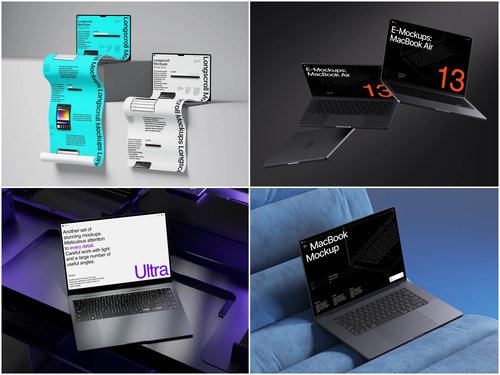
When you’re staging multi-tab presentations, the quality of your mockup frame matters enormously. The laptop mockup collection at ls.graphics is designed for exactly this kind of detailed, story-driven work. Here’s what sets it apart:
- Ultra-realistic rendering that holds up under close inspection — genuine depth, no flat shadows
- Organized, labeled layers for easy screenshot swapping without digging through chaos
- Multiple angles — straight-on, three-quarter, tilted, overhead — to serve any narrative
- Color style variations to match the mockup to your brand palette or audience aesthetic
- Minimalistic, stylish compositions that frame your content without competing with it
The files are built for real people on real deadlines. Drag in your screenshot, adjust the layer, export. That’s the entire workflow. No workarounds needed.
Conclusion
Simulating multi-tab user behavior is one of the most underused techniques in product communication. It bridges the gap between a polished demo and a believable real-world scenario — and that believability is what makes presentations memorable.
Whether you’re designing a landing page or walking investors through a user journey, staging your app inside a browser with intentional tab context tells a richer story than any isolated screenshot can. For the mockup frame itself, ls.graphics offers carefully crafted assets that look right the first time. When the details matter, the tools should too.